


-

Woods Six-Outlet Surge Protector Wall Tap with Built-In Phone Cradle 41196
Woods
Our Item #: 18426s
- MFG #:
$2.95 -
 $5.18
$5.18 -

MaxLite Smart Wall Plug 10A White Color WP-SMTR - Case of 48 Minimum
MaxLite
Our Item #: 20394s
- MFG #:
$7.88 -

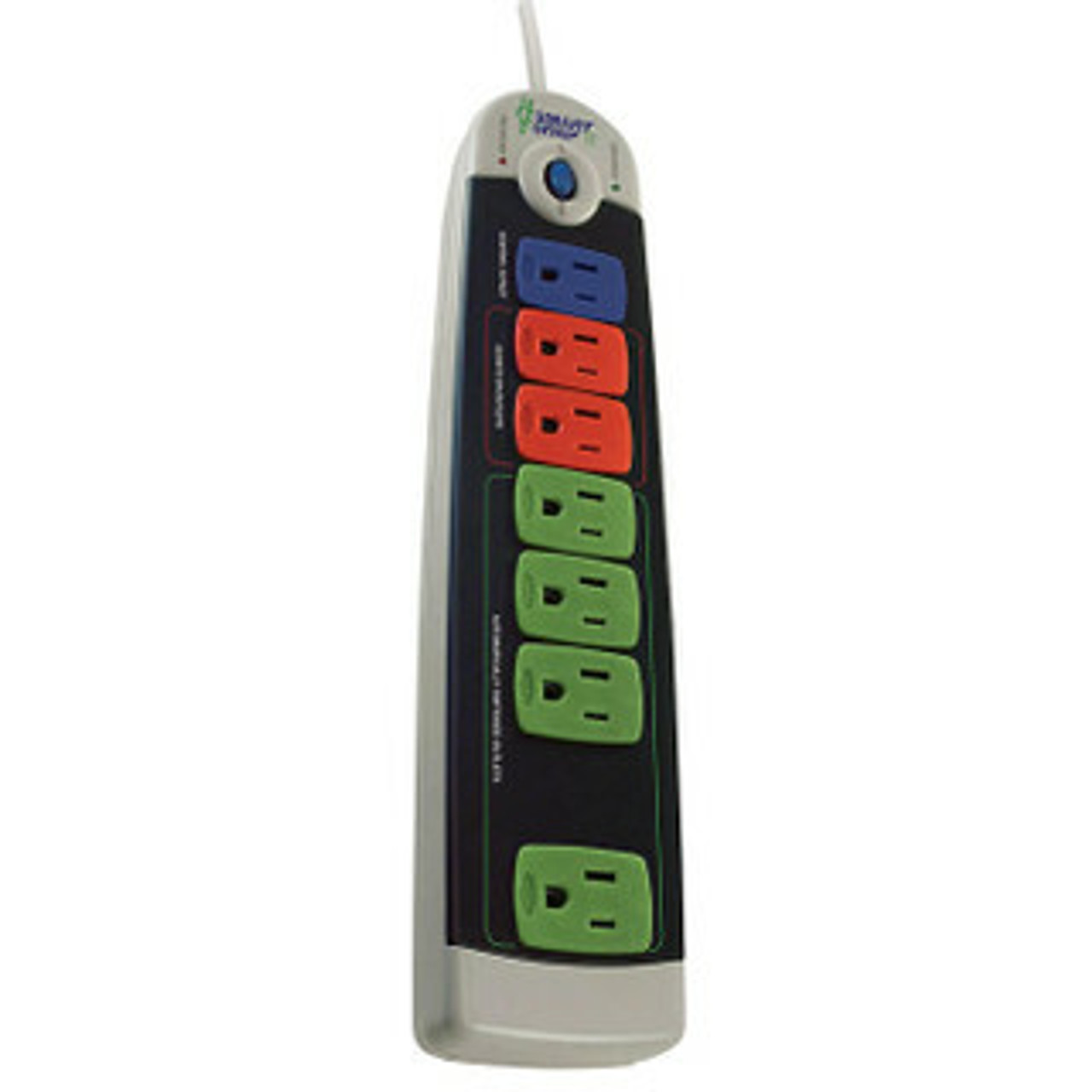
Conserve Smart Six Outlet Surge Protector 450 Joules 3 ft. Power Strip CM024SP - Case of 24 Minimum
Conserve Smart
Our Item #: 18989s
- MFG #:
$8.15 -
 $8.35
$8.35 -
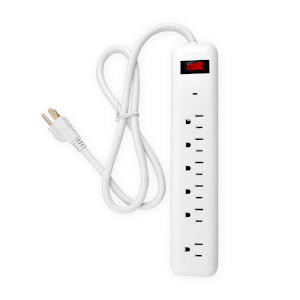
AM Six-Outlet Surge Protector 450 Joules 3 Ft Cord LTS-6PS - Case of 20 Minimum
AM Conservation
Our Item #: 18486s
- MFG #:
$8.99 -

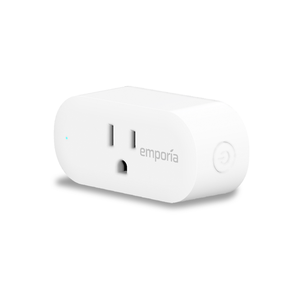
TrickleStar 3 Outlet Powertap + 2 USB Ports TS1207 - Case of 20 Minimum
TrickleStar
Our Item #: 20968
- MFG #:
$9.00 -
 $9.97
$9.97 -
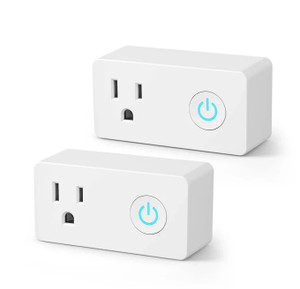
BN-Link WiFi Smart Plug Outlet Hubless Timer U133T-2P (Pack of 2)- Case of 10 Minimum
BN-Link
Our Item #: 21340s
- MFG #:
$11.48 -
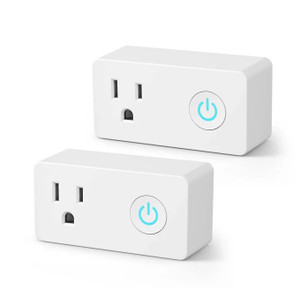
Bulk BN-Link WiFi Smart Plug Outlet Hubless Timer U133T-2P (Pack of 2)- Case of 10 Minimum
BN-Link
Our Item #: 21340.2s
- MFG #:
$11.48 -

Bulk Order FEIT Electric Indoor Smart Wi-Fi Wall Plug Alexa / Google PLUG/WIFI
Feit Electric
Our Item #: 20859.2
- MFG #:
$11.50 -
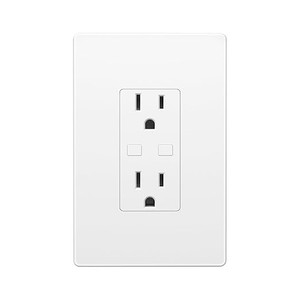
BN-Link Smart WiFi in-Wall Outlet Switch U183WT- Case of 65 Minimum
BN-Link
Our Item #: 21378s
- MFG #:
$11.85
Energy Saving Smart Power Strip
Power strips are a popular option for electronics users around the world to expand their existing electrical outlets. However, commonly plugged-in devices such as TVs, computers, media players and printers continue to use power when in standby mode on a traditional power strip. Often known as “phantom power” or “vampire power”, this electricity drain can significantly increase your energy bill and carbon output. But Conservation Mart is here to help you combat this energy-suck with a variety of smart power strips and smart sockets. We may not be Van Helsing, but when you buy these power strips, you will have a reliable defense against vampire power use.
For years, the most reliable way to combat phantom power has been to unplug each device when not in use. But thanks to a smart power strip, environmentally- and budget-conscious people no longer have to resort to this time-consuming method. A smart power strip from BITS, TrickleStar, Embertec and other industry leaders automatically sense when a device goes into standby and shuts off power to that outlet. A smart socket is useful as well for rechargeable devices such as phones and tablets, cutting the power after a set time interval. Vampire power can account for up to 10 percent of all residential power consumption, meaning that reducing or eliminating its presence can mean serious energy savings.
Our power saver strips come in multiple sizes, allowing you to plug in up to 12 devices simultaneously so an entire office setup or home theater system can be in permanent power-saving mode. Smart power strips have surge protection built in as well to protect your devices from sudden spikes. Head to our Smart Power Strips Buyer’s Guide or call our experts toll-free for more information on these affordable accessories. Our volume prices add more savings to our low prices, and we ship most orders by the next business day so you can start reducing power use while protecting your valued devices.
Commercial Use Cases & Applications
Advanced power strips and smart plugs are built for the part of your electric bill that gets overlooked: plug loads. In commercial spaces, that’s PCs, monitors, printers, breakroom gear, chargers, kiosks, AV, and all the “always-on” stuff that keeps sipping power after hours. These products let you standardize control across rooms, departments, and sites without touching your electrical panel.
Offices, coworking, and admin spaces
Office equipment is a classic source of after-hours draw. Advanced power strips can shut down peripheral outlets when a primary device turns off, or run on schedules and occupancy-based behavior depending on the model. Smart plugs let you control single devices like printers, coffee stations, or shared chargers, which is handy when different teams share the same space.
Government buildings and schools
Public facilities often have consistent operating hours and repeatable room layouts, which makes plug load controls easy to roll out at scale. Think classrooms, labs, libraries, and admin areas where devices sit idle nights, weekends, and breaks. Standardized deployment also helps when you need clear documentation for internal approvals or energy reporting.
IT closets, AV carts, and “always-connected” areas
Not everything should be switched off, especially in IT and networking. The win here is control and segmentation: keeping critical gear live while managing non-critical peripherals, monitors, speakers, signage, or charging stations. Look for strips and plugs that support the load requirements and provide the right mix of always-on and controlled outlets.
Utility programs, rebates, and implementer-led retrofits
If you manage energy projects across multiple sites, these products fit cleanly into plug load reduction initiatives. They’re common in direct install and midstream program models because they’re easy to deploy, easy to verify, and easy to repeat across a portfolio. Having spec sheets and model-level details on hand makes rebate paperwork and stakeholder signoff smoother.
Multifamily common areas and light commercial retrofits
Shared spaces like leasing offices, community rooms, gyms, and laundry areas can carry a surprising amount of plug load. Smart plugs work well for individual devices, and advanced power strips work well where multiple devices run together, like TV and AV setups or shared workstations. This is also a practical add-on during refresh cycles, tenant improvements, or energy audits.
Procurement tip: If you’re standardizing across locations, set a shortlist by use case first: office workstations, shared devices, AV setups, and single-load controls. That keeps purchasing clean and prevents site teams from mixing incompatible models.
Compatibility & Technical Standards
For commercial buyers, the right choice usually comes down to three things: how the device controls power, what it can safely handle, and what standards it meets for your environment. Dial these in early and procurement gets easier, installs go smoother, and you avoid returns caused by basic compatibility misses.
Control methods and integration
Some products manage outlets automatically using load-sensing, timers, schedules, or occupancy-style behavior. Others connect through Wi-Fi or a hub so you can control devices remotely, group them by area, and monitor usage. If you’re buying for an existing smart building setup, check the protocol before you commit. Common options include Wi-Fi, Zigbee, and Z-Wave, plus voice assistant compatibility like Alexa and Google Home for simpler use cases.
Load capacity and outlet configuration
Match the strip or plug to what you’re actually powering. Look at amperage rating, total wattage limits, and how many controlled versus always-on outlets you get. For surge-protecting strips, joule rating matters, and it’s worth checking clamp voltage and response time if you’re protecting sensitive electronics. If you need USB ports for tablets, phones, or small peripherals, confirm the USB output and placement so cords and power bricks don’t block adjacent outlets.
Safety certifications and compliance
Commercial facilities often require proof of compliance before a device is approved for use. Look for listings such as UL, along with other marks that may matter in your org’s purchasing rules. Depending on the product, you may also see Energy Star alignment, RoHS, and similar compliance indicators that support internal standards and sustainability reporting.
Fit, durability, and install realities
In real buildings, clearance and cable management can matter as much as specs. Wall taps and compact plugs are helpful where furniture sits tight to outlets. For workstations, wider spacing helps with transformer blocks. In IT closets and AV setups, cord length, mounting options, and the ability to separate always-on loads from controlled loads can make the difference between a clean install and a constant headache.
Spec check shortcut: Before you place a bulk order, confirm protocol, amperage, and certification requirements with whoever signs off on electrical and IT standards. That one step prevents the most common procurement rework.
Program & Utility Rebate Eligibility
Advanced power strips and smart plugs are often used in plug load reduction efforts, especially when a project needs measurable savings without a major retrofit. In many territories, these products can align with utility demand-side management programs, upstream or midstream incentive channels, and direct install initiatives that target offices, schools, and public buildings.
Where rebates tend to show up
Rebate eligibility varies by utility and program year, but you’ll commonly see incentives tied to advanced power strips used at workstations, in offices, and in classrooms, plus smart plug controls for specific approved applications. Some programs require specific certifications or product listings, and others focus on how the device is installed and verified in the field.
What your team usually needs for approval
Most program administrators and implementers want clean documentation. That usually means model numbers, spec sheets, and proof of compliance or certification where required. If you’re coordinating a portfolio rollout, keeping a simple tracker of device counts by site and application can make incentive submissions far less painful.
Buying for a program rollout
If this purchase is tied to an incentive program, it helps to standardize on a short list of eligible models and keep documentation centralized for your team. That way, procurement can reorder the same approved units for additional sites without restarting the review process each time.
Program note: Utility rules change regularly. Before you finalize quantities, confirm eligibility with your local utility or program implementer using the specific model numbers you plan to purchase.
Frequently Asked Questions About Advanced Power Strips and Smart Plugs
Advanced power strips manage several devices at once and shut off power to anything not in use. Smart plugs control individual devices and connect to your Wi-Fi for remote on/off control through an app or voice assistant.
They detect when devices go into standby mode and cut power automatically, preventing phantom energy loss that adds up over time.
Yes. Most smart plugs work with popular voice assistants, allowing you to turn lights, appliances, and electronics on or off with simple voice commands.
Yes. Many include surge protection and sensor-based outlets that protect sensitive electronics while reducing standby power.
Many models include built-in monitoring that shows how much electricity a connected device uses, helping you identify ways to save.
Yes. By reducing phantom loads and improving control over energy use, both smart plugs and advanced power strips can lead to noticeable savings over time.